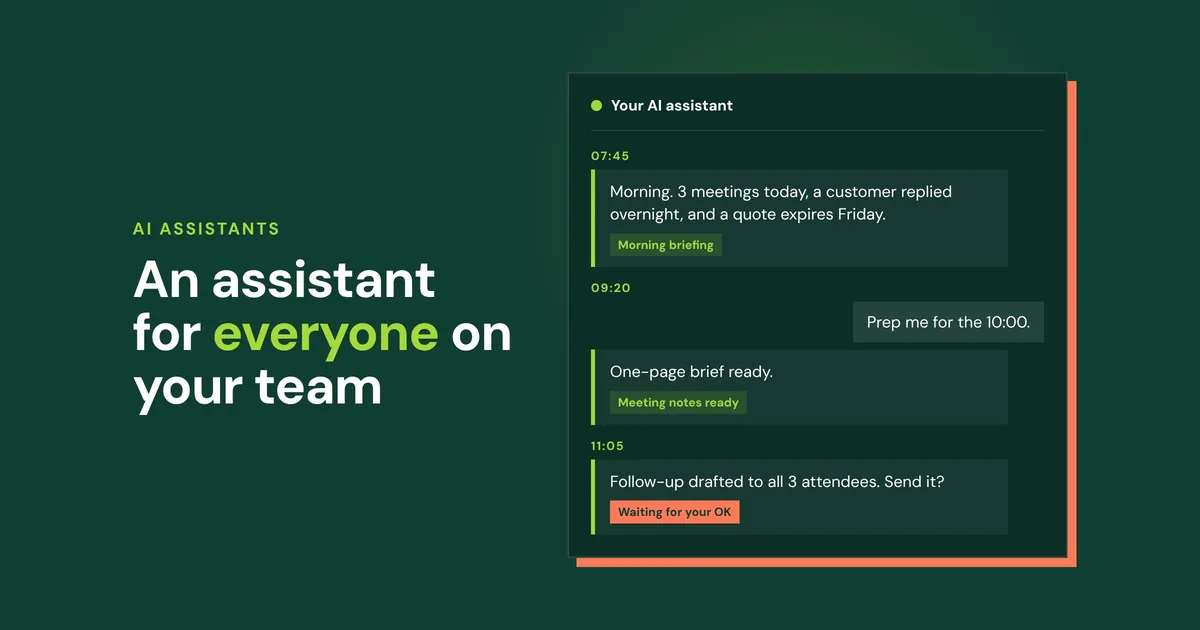
Imagine starting the day with a message that says: three meetings today, one customer replied overnight, a quote expires on Friday, and here is a draft reply for you to check. Then, after each meeting, the notes are written up and the follow-up is ready to send.
That is an AI assistant. Not a chat window you have to remember to open, but something that works in your email, diary, CRM and files, and checks in with you. When we show clients this, the reaction is nearly always the same: "Can we have that?" Mostly, yes. Here is what is possible, what to watch out for, and how to start.
Assistants, team-mates and agents
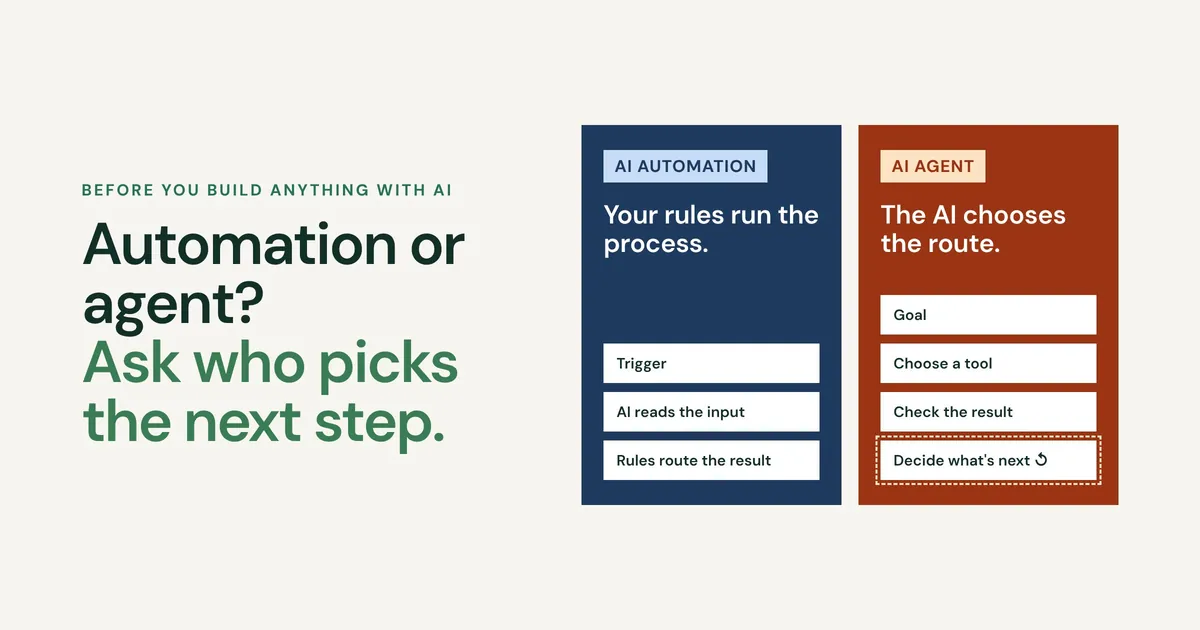
Salesforce draws a useful line between agents that face customers and employee agents, which work inside the software your staff already use to help them finish tasks and find information faster. We split the employee side in two:
- An AI assistant works for one person. It briefs, drafts and chases for them, and they approve what goes out.
- An AI team-mate or agent works for a team or a process, such as the shared inbox, Monday's report or quote to order. See our agents.
This article is about the first. It is usually where people start, because everyone can feel the benefit in their own week.
What the new personal assistants show
Two open-source projects have shown what a personal assistant can be. Both are aimed at individuals and technical users, but the ideas carry straight over to business.
Hermes Agent
Hermes Agent, from Nous Research, calls itself "the agent that grows with you". You message it from where you already are: Slack, WhatsApp, Telegram, Discord, Signal or email. It remembers useful details between conversations, and a quick message such as "remind me about this on Thursday" becomes a scheduled job that comes back on the day. Its examples are everyday ones: drafting the reply you keep putting off, watching a thread and nudging you when someone answers, and researching while you are busy so a summary with sources is waiting.
OpenClaw
OpenClaw (first released as Clawdbot) is a self-hosted assistant that early users run on their own computer and talk to through a chat app. MacStories described one built to send a daily morning report from the writer's calendar, notes and to-do list, and to handle voice notes. Zapier lists inbox triage, turning PDF invoices into a spreadsheet and checking in for flights.
Inherently a security nightmare.
Zapier, on running OpenClaw with broad access
The same reviews are clear about the catch. Setting OpenClaw up takes technical skill and a few hours. It needs wide access to your email and accounts. A hidden instruction on a web page could trick it into leaking information. Zapier's advice is to run it on a separate machine and go slowly. MacStories found the experience "exhilarating and scary at the same time".
What a business version looks like
The ideas are the same: memory, a chat you can message, check-ins on a schedule, and real work in your systems. What changes is where it runs and who is in control.
- It runs on the AI you already pay for. For a Microsoft business that is usually Microsoft 365 Copilot. Otherwise it is often Claude, which now connects to Microsoft 365, Google Workspace, HubSpot and QuickBooks.
- It uses the person's own access. It cannot open a folder or record they could not open themselves.
- It drafts, people send. Emails, meeting acceptances and CRM changes wait for approval, and that rule is set in the system, not just the instructions.
- Your IT team can see and switch it off. Admin controls, logs and your data settings apply.
Five jobs to give an assistant first
- The morning briefing: today's meetings, what came in overnight, and what is due or slipping.
- Meeting prep: a one-page brief on who is coming, the history and the open issues.
- Write-up and follow-up: notes into the CRM and the actions email drafted for you to send.
- Chasing: a nudge when someone hasn't replied, on the day you asked for it.
- First drafts: replies, proposals and reports in your own templates and tone.
None of these is clever on its own. Together they give people back the hour a day that admin takes, and they stop things falling through the cracks.
Why licences alone don't do it
Many businesses already have Copilot or ChatGPT licences, and many find people barely use them. A blank chat box asks people to work out for themselves what to use it for. An assistant is set up for a person's actual job: connected to the right systems, taught the routines, and checking in without being asked. That is the difference between a tool people might use and one they rely on.
How to start small
- Pick two to five people whose days are full of email, meetings and follow-ups.
- Agree what the assistant may read, what it may draft and what always needs approval.
- Teach it two or three routines, such as the morning briefing and the meeting follow-up.
- Run it for 30 days, check in weekly and measure the time saved.
- Then decide who gets one next, and which repeated work should move to a team-mate or agent.
The examples above describe third-party products as their makers and reviewers did on 23 November 2026. Features and availability change often.
See what an AI assistant looks like for your team, with an example day.